
Tinkerlands Co-op & Multiplayer
Play with friends, share a settlement, and clear bosses together.
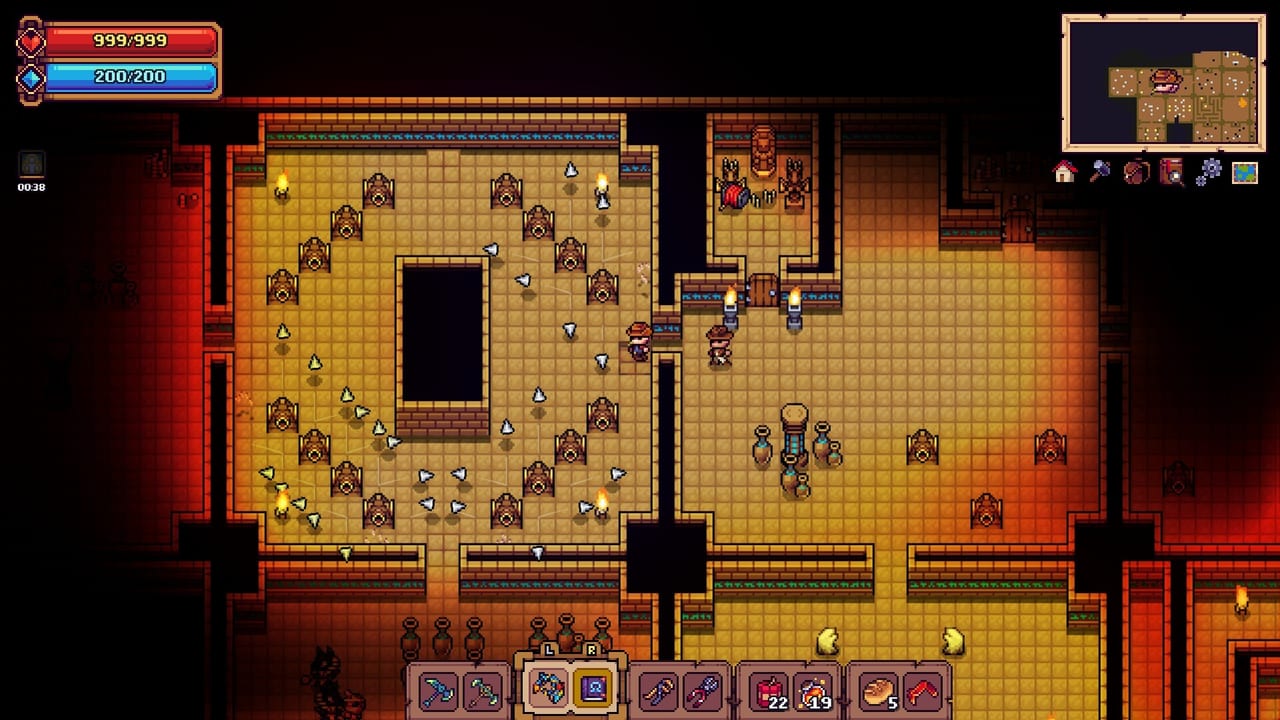
Tinkerlands is built for shared island adventures. Online co-op supports up to four players on the same procedurally generated world: gather, craft, recruit NPCs, sail to new biomes, and fight the major bosses as a crew. This hub covers how to host, how difficulty and pacing change in a group, and how to keep loot and settlement building fair so sessions stay fun through Early Access patches.
If you are brand new, skim Getting Started first, then return here before your first invite night. For the recommended fight order, keep boss progression open while you play. Weapon and gear priorities live on the tier list.
How to play with friends
Everyone needs their own Steam copy of Tinkerlands (app 2617700). Co-op is online through Steam; you can also use direct connection / LAN-style joins when friends are on the same network.
Host flow (Steam):
- Open Multiplayer → Steam → Host Game.
- Create or select a character, then create or load an island / world.
- Choose difficulty (Explorer, Adventurer, or Survivor — see below).
- Invite friends from the Steam overlay or friends list once the session is live.
Join flow: accept the Steam invite, or use Multiplayer → join options and connect to the host. Create or pick a character that will live in that shared world. Characters are per-player; the world state (terrain, chests opened together, NPCs housed, ship progress) is what you share.
Agree before launch whether this is a fresh world or a continuing save. Mid-campaign joins are fine, but newcomers should expect denser enemies and fewer untouched chests if the group has already sailed far.
Host tips that prevent frustration
- One stable host. Prefer the player with the strongest upload and fewest disconnects. The host’s PC keeps the world simulation; if they drop, the session ends for everyone until someone reloads that save as host again.
- Steam Cloud. Saves can sync via Steam Cloud, but treat the host machine as the source of truth. Avoid two people “owning” conflicting copies of the same world after offline edits.
- Session length. Boss summons, dungeon clears, and ship repairs are bad moments to AFK. Call a short pause before consuming Map Charts or starting a ritual fight.
- Voice chat. Use Discord (official invite) or Steam voice so callouts for parries, healer staff shots, and “don’t loot yet” stay clear.
- Mods and beta branches. Stay on the same Steam build. Mismatched betas break joins more often than hardware differences.
Difficulty, scaling, and group pacing
At world creation you pick a difficulty that reshapes enemy strength:
| Difficulty | Enemy feel | Best for |
|---|---|---|
| Explorer | About −25% HP, speed, and damage | First co-op night, mixed skill groups |
| Adventurer | Baseline | Standard four-player runs |
| Survivor | About +25% HP, speed, and damage | Veterans who already know boss tells |
Enemy pressure still rises as you enter harder islands (Jungle, Ghostlands, late optional bosses). Extra players help with focus fire and revives, but they also burn local resources faster. Plan farming loops so the settlement always has wood, ore, and food stockpiles before a boss night.
Combat basics that matter more in co-op: block / perfect block windows, mana spells from the Charm Table, and the Healing Staff projectile (great for topping allies without everyone chugging potions on the same cooldown). Assign informal roles—frontliner, ranged DPS, support—especially for Quetzalcoatl, Baba Yaga, and Banshee.
Loot etiquette
Shared worlds feel best with a simple loot contract:
- Need before greed on unique boss weapons; rotate first pick if two people want the same drop.
- Park a shared storage room near the town center for ores, bars, Map Charts, and summon items.
- Do not vacuum every surface chest while teammates are still exploring that island—call “clearing north beach” so others can join.
- Boss summon items (Forbidden Scrolls, Red Candles, Crab-related drops, thumper setups) are group resources. Confirm before you spend the last copy.
Duplicate crafting materials can be freely split. Keep rare schematics and one-off quest items labeled in a chest so nobody accidentally sells or crafts them away.
Settlement building as a group
Housing NPCs (Guide, Bard, Carpenter, merchants, specialists found on later islands) is faster with four builders, but room rules still apply: valid houses, doors, and lighting. Split jobs—one player shells walls, one furnishes, one hauls furniture recipes, one scouts the next NPC. A tidy hub with benches, chests, and portals cuts downtime between sails.
Repairing and outfitting the ship is a natural group milestone after early bosses and Carpenter progress. Once you can sail, use Map Charts deliberately; the first Jungle and Ghostlands unlocks are progression gates for the whole party. Track those unlocks on the progression checklist.
Boss nights and shared goals
Fight bosses together whenever the summon is limited or the arena is chaotic. Optional early bosses (Slimeking, Frog Prince, Overgrown Crab) are excellent warm-ups for co-op positioning. Mandatory-feeling gates such as Mineral Spider (caves / cold prep), Quetzalcoatl (Jungle map + dungeon scrolls), and Banshee (Ghostlands + Red Candles) deserve a full squad and upgraded gear from the tier list.
After each kill, dump loot, repair, and decide the next checklist beat before logging off. That habit keeps multi-week campaigns coherent when not everyone can attend every session.
Solo players on this hub
Everything here still helps solo captains: host settings, difficulty choice, and settlement layout advice apply one-to-one. When friends join later, a clean town and labeled storage make onboarding painless.
Related reading
- Getting Started — beach tutorial through early crafting
- Boss progression — sensible fight order and unlock gates
- Tier list — weapons and builds worth crafting for group content
- Progression checklist — tick boxes from beach to late bosses
- Official links — Steam, Discord, and socials
Play fair, host stable sessions, and clear islands together—Tinkerlands shines when the whole crew shares the next horizon.
Frequently Asked Questions
Quick answers to the most common Tinkerlands questions.
How many players can join a Tinkerlands co-op world?
Online co-op supports up to four players in the same world, including the host.
How do I invite friends on Steam?
Host via Multiplayer → Steam → Host Game, create or load your world, then send Steam invites. Friends need their own copy of the game.
Which difficulty should a new co-op group pick?
Start on Explorer if anyone is new, or Adventurer for a standard challenge. Survivor adds roughly +25% enemy power for veterans.
Does the host matter for saves?
Yes. Prefer one stable host and treat that save as canonical. Steam Cloud helps, but avoid conflicting offline edits of the same world.
How should we split boss loot?
Agree on need-before-greed for unique weapons, keep summon items in shared storage, and rotate first picks when two players want the same drop.
Where do we track what to do next as a group?
Use the progression checklist alongside the boss progression guide, and park materials in a labeled town chest between sessions.